
共计 1004 个字符,预计需要花费 3 分钟才能阅读完成。
GodMode
这是一个专门的聊天浏览器,只有一个功能:帮助你快速访问 ChatGPT、Claude 2、Perplexity、Bing 等 全部网页应用 , 只需一个快捷键(Cmd+Shift+G)。
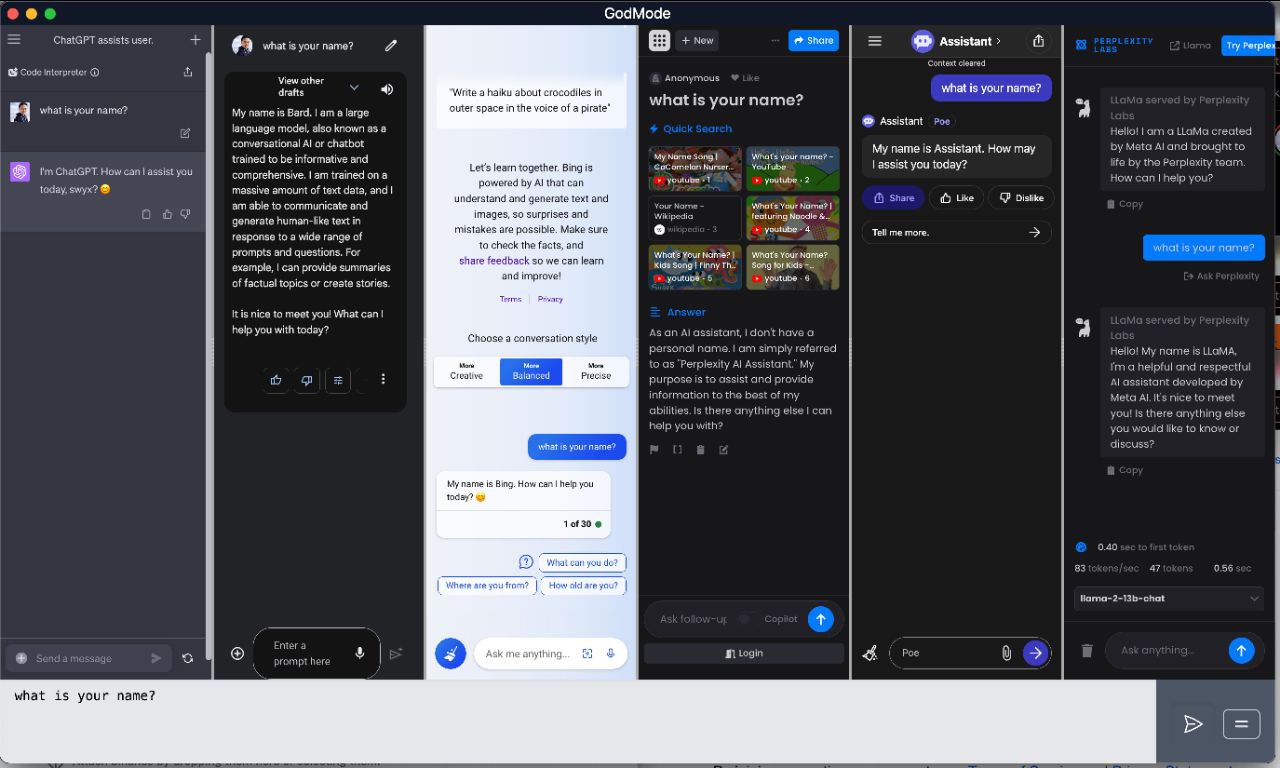
▎软件功能: AI 聊天浏览器
▎软件介绍: 这是一款跨平台专用的 AI 聊天浏览器,只做一件事:帮助您通过单个键盘快捷键 (Cmd+Shift+G)快速访问 ChatGPT、Claude 2、Perplexity、Bing 等的完整网络应用程序。
▎支持平台: #Windows #MacOS #Linux
项目地址:https://github.com/smol-ai/GodMode/
源码构建
如果你想从源代码构建,你需要克隆仓库并打开项目文件夹:
-
克隆仓库并导航到项目文件夹:
git clone https://github.com/smol-ai/GodMode.git cd GodMode npm install --force npm run start # to run in development, locally -
生成二进制:
npm run package # https://electron-react-boilerplate.js.org/docs/packaging
# ts-node scripts/clean.js dist clears the webpackPaths.distPath, webpackPaths.buildPath, webpackPaths.dllPath
# npm run build outputs to /release/app/dist/main
# electron-builder build --publish never builds and code signs the app.

# this is mostly for swyx to publish the official codesigned and notarized releases
输出会位于
/release/build目录中。
当你首次运行应用时:
- 登录你的 Google 账号(一旦你登录了 ChatGPT 的 Google 账号,你也会登录 Bard、Perplexity、Anthropic 等)。目前在我们弄清楚之前,先通过 Anthropic Claude 登录 Google 似乎是最可靠的方法
- 对于 Bing,登录 Microsoft 账户后,你需要刷新才能进入 Bing 聊天界面。刚开始有点不稳,但效果不错。
更多软件工具,请点击 传送门!
正文完
